
How to Install the Fb88 App on Android and iOS: Permissions and Error Fixes 2026
The Fb88 mobile app brings the full web betting product onto your phone, including swipe-to-bet and real-time notifications. This guide walks through downloading, installing and granting permissions on both Android and iOS, plus fixes for the most common problems.
Use the mobile browser or download the app — both give you full access to the product, but the installation process is quite different. The browser needs no installation, while the app requires a few extra permission steps depending on your operating system. The sections below walk through each step so the install goes smoothly the first time, without having to start over.
Downloading the Fb88 App to Your Device
Fb88 offers two separate apps: the Sports app and the main app. Both can be downloaded for free directly from the homepage — not through a third-party app store. File sizes are compact (the Sports app is about 32.7 MB, the main app about 26.9 MB), but your device still needs at least 100 MB of free storage so the extraction and installation can finish properly.
Something to watch out for before downloading: the APK file (Android) and the iOS installer are distributed outside the official Google Play or App Store systems. For that reason, the only download source should be Fb88mg — avoid links shared on social media, as those files may have been tampered with. If your browser shows a "this file may harm your device" warning, that is an automatic response to any APK outside Play Store, not specific to this app — tap "Download anyway" or "Keep" to continue.
The app is compatible with Android, iOS, and the HTML5 version on browsers — tablet or desktop users still have an alternative if they prefer not to install an app. Version updates are released monthly, usually with an in-app notification when a new build is available.
Installing on Android and iOS: The Core Differences
The two platforms handle apps installed from outside the official store in completely different ways. Knowing which step applies to which platform will help you avoid most installation errors.
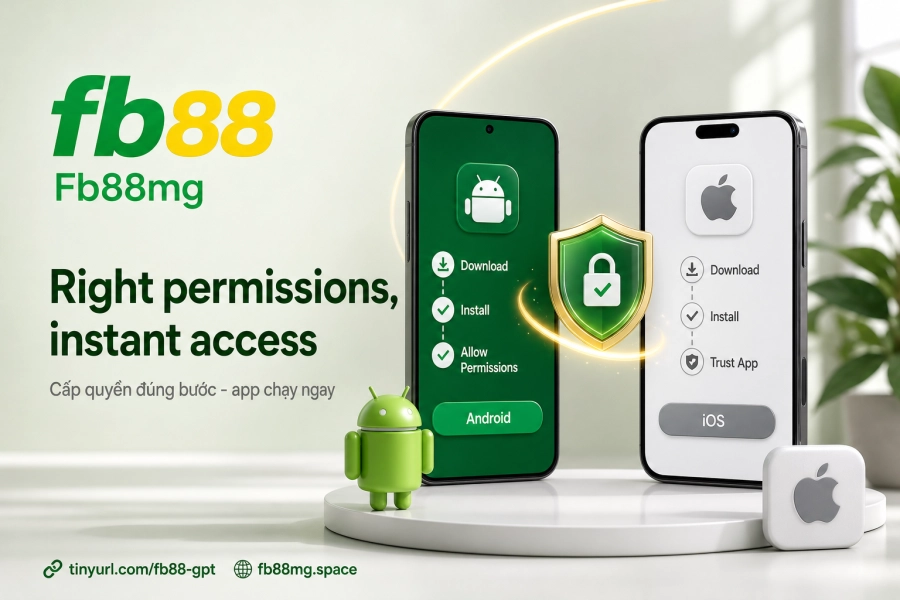
On Android, the most important step is allowing installs from unknown sources. Go to Settings → Security (or Settings → Apps → Special access, depending on your phone model) and turn on Install unknown apps. Some devices require this permission to be granted separately for each app that opens the APK file — for example, if you downloaded through Chrome, grant permission to Chrome, not to the entire system. Once permission is granted, open the downloaded APK file, tap Install, and wait about 3–5 minutes for it to finish.
On iOS (iPhone and iPad), the process differs at the trust verification step. After downloading and opening the app for the first time, the system will block it and show the message "Untrusted Enterprise Developer". To unlock it, go to Settings → General → VPN & Device Management, find the matching developer name, tap Trust, and confirm. Only after this step will the app run normally. Skipping this step is the most common reason iOS users report that "the app won't open".
| Platform | Key permission step | Estimated install time |
|---|---|---|
| Android | Enable "Install unknown apps" | 3–5 minutes |
| iOS | Confirm trust in General Settings → Device Management | 3–5 minutes |
Device Requirements and Key Features in the App
The minimum requirements are not demanding — any device that can run a modern web browser usually qualifies. The specific item to check is free storage: with less than 100 MB available, the installation may stop halfway without a clear error message, which is easy to mistake for a corrupted download file.
As for features, the app keeps all promotions and offers identical to the website — there is no case where the website has a promotion that the app does not display. The swipe to bet feature is what sets the app apart from the web interface: bets are placed with swipe gestures instead of button taps, which is handy when following several matches at once on a small screen. Security on the app uses multiple layers — Fb88mg deploys 128-bit TLS/SSL encryption combined with a multi-layer firewall against DDoS attacks, plus device-level protection for each login session.
Promotions claimed through the app are handled the same way as web accounts — no separate account is needed and no re-registration is required. If you're using the Deposit feature or checking your Withdrawal history, the information displayed syncs fully between both platforms.
Troubleshooting When the Installation Fails
Most installation errors fall into one of three situations, and the fixes are fairly direct:
- The downloaded file is corrupted or won't open: Usually caused by a network interruption partway through. Delete the old file and download again from the official source. Check the free storage space before re-downloading.
- Android shows "Installation blocked": The permission to install apps from outside the store hasn't been enabled, or it was enabled in the right place but not granted to the app that is opening the file. Grant the permission to the file manager or browser you used to open the APK.
- iOS shows "Untrusted Enterprise Developer" every time you open the app: The trust confirmation in Device Management was not completed or was reset after an iOS update. Repeating the confirmation step is enough.
If the app installs but you can't log in, check your internet connection first — the app requires a stable connection to verify your session. If the problem persists after the steps above, the bookmaker's live support channel responds in real time and can help with individual cases. Once the app is running smoothly, the next step is to review the Deposit guide to learn about processing times and the local payment channels available.